

Short answer: a google maps reviews scraper pulls public review text, star ratings, dates, reviewer names, and owner replies into a sheet. Outscraper suits a one-off pull with no subscription, Apify suits a scheduled pipeline, and Lobstr suits a large monthly pull, per the vendor pages I opened. Pick by fields, price, and limits, not by a top-ten badge.
I wanted review text from local clinics, sorted by theme, to see what patients kept complaining about. I wanted a straight comparison: what each tool returns, what it charges, and where it stops short. Our guide to scraping Google Maps reviews already covers the pull itself.
The first trap I hit was a roundup that ranked its own product first and called the test fair. That taught me to read the field table and the price table, and to skip the score badge.
What can a google maps reviews scraper actually pull?
A review scraper reads the public review feed on a Maps listing and writes one row per review. The core fields stay the same across tools: reviewer name, star rating, review text, review date, and owner reply where one exists. Most tools add a review link and a Local Guide flag.
Three fields decide most jobs: review text carries the themes, review date carries the trend, and owner reply shows whether the business answers complaints. A tool that drops any of those three leaves a hole in the file.
A scraper reads what Maps shows. It cannot recover a deleted review, and it cannot read a review Maps never published. A listing count of 412 and a pull of 398 rows is a normal gap.
How did I judge the tools in this comparison?
I opened the top-ranking comparison pages. I kept only the tools that named their review fields, their price, and their limits on the page.
I judged each tool on five points: fields, price per 1,000 reviews, limits, filters, and fit, meaning whether it runs in a browser, on a desktop, or in the cloud, and whether it needs code.
I did not run the same 1,000-review job through each tool. My figures come from the pages I opened, each labeled as a vendor claim.
Outscraper, Apify, and Lobstr side by side
These three show up in every roundup I opened. Use the table to narrow the choice.
| Point | Outscraper | Apify | Lobstr |
|---|---|---|---|
| Run type | Cloud, no subscription | Cloud actor, needs setup | Cloud dashboard plus API |
| Review text | Yes | Yes | Yes |
| Owner reply | Yes, text | Yes, text and date | Yes, text, no reply date |
| Local Guide flag | No, per Lobstr test | Yes | Yes |
| Review likes | Empty, per Lobstr test | Yes | Yes |
| Keyword filter | Yes | No | No |
| Date window | Yes, from and to | Newer than, day level | Newer than, to the second |
| Export | CSV, JSON, Excel | CSV, JSON, Excel, XML, HTML | CSV, JSON, Excel, Sheets |
| Entry price per 1,000 reviews | $3, per Lobstr and Reddit pages | $0.45, per Lobstr page | $0.40, per Lobstr page |
| Free tier | 500 free a month | $5 credit a month | 500 reviews a month |
Lobstr ranks itself first at 9.5 out of 10, ahead of Apify at 6.8 and Outscraper at 5.7, on its own blog. That is a vendor score, not an independent test, but its field table still names the gaps each tool leaves.
When does Outscraper win?
Outscraper wins on a one-off pull. You pay per result, with no monthly subscription, and the free tier covers 500 records a month, per the vendor pages I opened. The Reddit roundup puts its review price at about $3 per 1,000 reviews, and Lobstr puts its volume rate near $1 per 1,000.
Two filters set it apart. It is the only tool of the three with a keyword search inside review text, and the only one with a from and to date window, per the Lobstr field table. The trade-off is thinner data: no Local Guide flag and empty like counts, per that same table.
When does Apify win?
Apify wins when reviews sit inside a larger pipeline. Its Google Maps Scraper actor pulls reviews plus full business metadata in one run, and it returns the cleanest JSON of the three, per the Lobstr comparison. It also returns the broadest field set, with 38 data points per review against 29 for Lobstr and 21 for Outscraper.
The price needs a second look. The Reddit roundup puts the actor at $1 to $5 per 1,000 reviews, with paid plans from $49 a month, while Lobstr puts its entry rate at $0.45 per 1,000 and its volume rate at $0.30. Add-ons stack on the base price. Apify has no sort filter and no rating filter, per the Lobstr table, so you sort after export.
When does Lobstr win?
Lobstr wins on speed and on volume price, per its own page. It claims about 273 reviews a minute, against about 156 for Apify and about 137 for Outscraper, and a volume rate near $0.10 per 1,000 reviews. I could not check those speed figures elsewhere, so I mark them as vendor claims.
Its one field edge is edit tracking: a flag and a date when a reviewer changes a review after posting. Pick Lobstr when you watch many locations over months. Skip it when you need keyword slices inside the text.
What about PhantomBuster, Botsol, and the rest?
PhantomBuster fits a team that already pays for it. Its Maps template pulls review text, rating, reviewer name, and date, with paid plans from $69 a month for 20 hours, per the Reddit roundup. Time-based billing punishes a large pull, because a long job eats monthly hours fast.
Botsol fits a Windows user who wants a desktop tool. Its Reviews Crawler opens Chrome on your own computer, walks each listing, and exports to CSV or Excel. The free version caps at 5 businesses per search and 8 reviews per business, per the Botsol page, and the full license runs for six months on one PC.
Bright Data starts near $500 a month and ScrapeHero self-service near $99 a month, per the Reddit roundup. Both suit an agency with a standing data need, not a one-off pull. Google Takeout is free, and it is not a scraper: it exports only the reviews you wrote yourself, per the Reddit page.
What does 1,000 reviews cost across the tools?
Outscraper sits near $3 per 1,000 at entry, with a volume rate near $1, per the Lobstr and Reddit pages. Apify sits between $0.45 and $5 per 1,000, and add-ons push the total higher. Lobstr sits near $0.40 at entry and near $0.10 at volume, per its own page.
A monthly subscription only pays off when you pull every month. A one-off pull of 2,000 reviews rarely justifies a $49 or $69 monthly plan.
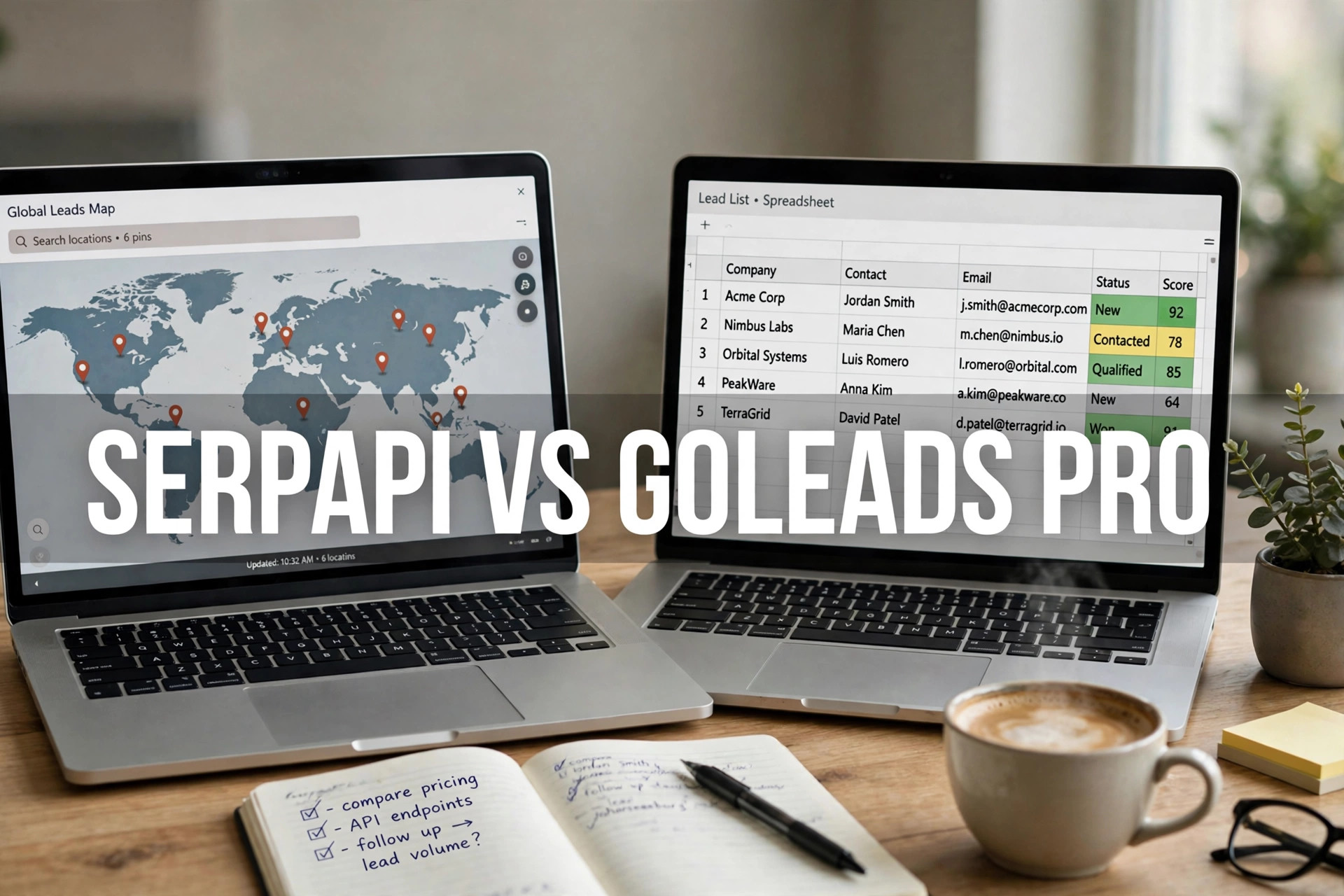
Where does GoLeads Pro sit in this comparison?
GoLeads Pro is a leads tool first, not a review scraper. It is a Chrome extension plus a web dashboard, per the vendor, and it extracts Maps listings, crawls business websites for emails and social profiles, MX-verifies emails before export, and exports CSV, XLSX, and JSON, per the vendor.
Its free tier gives 50 leads a day, 300 total, with no credit card, per the vendor. Professional costs $10 a month for 50,000 leads, and Business costs $20 a month for 100,000 leads, with API access and webhooks, per the vendor. Those prices cover leads, not review pulls.
I checked the product pages on 8 November 2026: the export column list shows Google Star Rating and Total Review Count, not full review text. Do not buy GoLeads Pro for a review pull until the live product page says otherwise. For the leads side, read our best Google Maps scraper roundup for 2026.
What review text can and cannot be exported, and where is the line on republishing?
Review text can be exported when the review is public on Maps and the tool pages the feed. Rating, date, reviewer name, and owner reply travel with it on most tools. That export is a research file, not a marketing asset.
Review text cannot be exported when the review is deleted, filtered, or never published. No tool recovers those rows. Treat any pull as a near-complete file with a small gap.
The republishing line is firm. Do not copy another person review text onto your own site and present it as your own feedback. Do not present reviews about another business as testimonials for yours. Do not contact reviewers from a pull to pitch them. Short quoted lines with clear attribution and a link back sit in a different place, where fair use allows.
Fake reviews stay out, for your own business or for anyone else. A reviewer request to remove their words means deleting the row and noting the date. Read our Google Maps Platform Terms post before you build a review workflow into a regular routine, and read what Reddit users say in our Reddit review roundup.
A worked example: dentists in Miami, three clinics, one theme count
Say you search dentists in Miami and you want to know what patients complain about. Pick three clinics with at least 100 reviews each. Pull each clinic on its own and check the row count against the listing count.
Tag each review with one short theme, such as waiting time, billing surprise, or friendly staff. Count the tags per clinic. Waiting time shows up again and again for two clinics and never for a third. Read the newest reviews in the top theme last.

Mistakes I made, and the fix for each one
I made each mistake below at least once, and each fix is now a rule in my own workflow.
Mistake one: I picked a tool from its score badge
I read the field table and the price table now.
Mistake two: I paid a monthly plan for a one-off pull
I price the job per 1,000 reviews first.
Mistake three: I trusted a listing count as the pull target
I note the listing count beside the pull count.
Mistake four: I bought a tool that dropped owner replies
I check the header row of a trial export before I pay.
Pick your tool with this five-question scorecard
Give each tool 0, 1, or 2 on each question, add the total out of 10, and pick the top scorer for your job. A tool can win on one job and lose on the next.
- Does it return text, rating, date, and owner reply?
- Does the price per 1,000 fit your volume, add-ons counted?
- Does the free tier cover a trial pull?
- Can you filter by rating, date, and keyword?
- Does it run the way you work, with no code when you need none?
Score the three tools for a one-off pull of 1,000 reviews, then again for a monthly pull of 50,000. The winner changes.
Copy this checklist before you pick a tool
- Write down the fields you need.
- Run a trial pull on one business.
- Price the job per 1,000 reviews, with add-ons counted.
- Check the free tier, the monthly cap, and any per-run cap.
- Check the date filter, the rating filter, and the keyword filter.
- Note the listing count beside the pull count.
- Keep scraped words in a research file, never on a marketing page.
Share this line with your team: pick the tool by the fields and the price per thousand, not by the score badge.
Frequently asked questions
What is the best google maps reviews scraper?
There is no single best tool, because the best pick follows your job. Outscraper suits a one-off pull, Apify suits a scheduled pipeline, and Lobstr suits a large monthly pull, per the vendor pages I opened. Score each tool on fields, price, and limits before you pay.
Can a google maps reviews scraper export full review text?
Yes, when the review is public on Maps and the tool pages the full feed. Most dedicated tools return review text, star rating, date, reviewer name, and owner reply on each row, plus a review link. A tool cannot recover a deleted review.
How much does a google maps review scraper cost?
It depends on volume and billing. Outscraper sits near $3 per 1,000 reviews at entry, per the Lobstr and Reddit pages, with a volume rate near $1. Apify sits between $0.45 and $5 per 1,000, per the pages I opened, with add-ons on top. Lobstr sits near $0.40 at entry and near $0.10 at volume.
Does the Google Places API export reviews?
The Places API returns at most five reviews per place, which suits a quick display on a website and falls far short of research. A full pull needs a scraper that pages the public feed, or the Business Profile API for locations you manage.
Can I use scraped Google Maps reviews in my marketing?
You should not republish other people review words as your own testimonials, or present them as feedback about your business when they concern another business. Short quoted lines with clear attribution and a link back sit in a different place, where fair use allows.
Is it legal to scrape Google Maps reviews?
The answer depends on platform terms, local law, and how you use the data. Google terms restrict automated access, while public reviews can still be read by any visitor. Read our platform terms post and our legality post before you build a regular workflow.
What fields should a review export hold?
A sound export holds reviewer name, star rating, review text, review date, owner reply, and a review link on each row. A Local Guide flag, review photos, and sub-ratings help when they come back filled. Check the header row of a trial export first.
Where does GoLeads Pro fit for review work?
GoLeads Pro is a leads tool, not a review scraper. It extracts Maps listings, crawls business websites for emails, MX-verifies emails, and exports CSV, XLSX, and JSON, per the vendor. Its product pages list rating and review count in the export columns, not full review text.
Run one trial pull on a single business this week. Read the header row, price the job per 1,000 reviews, and pick the tool that fits that job. Get the GoLeads Pro extension for the leads export workflow.