
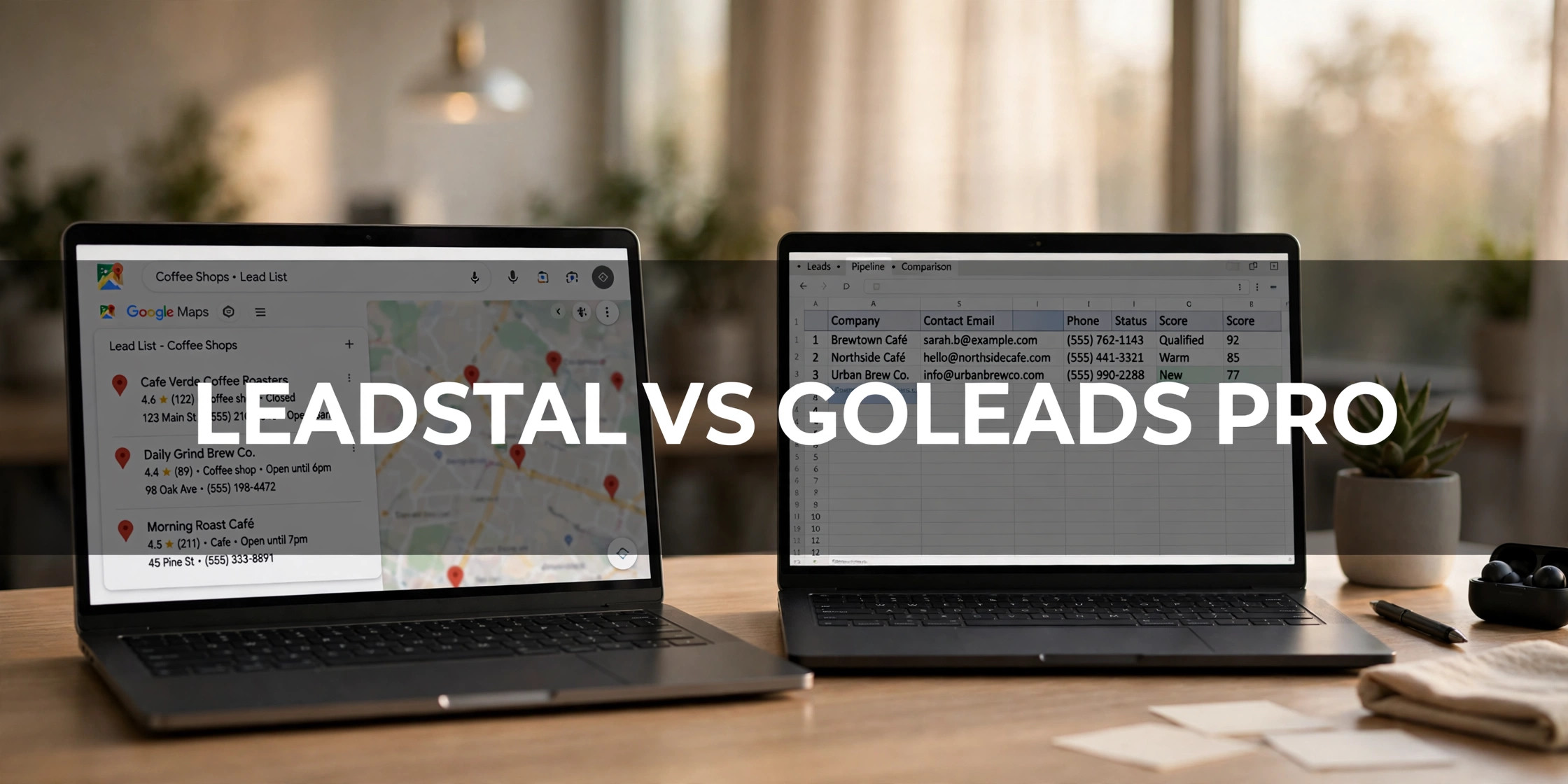
Short answer: the best Leadstal alternative for most buyers is GoLeads Pro, because it pairs a Chrome extension with a shared web dashboard, crawls business websites for emails, and runs an MX check on every address before export. Leadstal still wins when you want free Maps leads plus cold email in one product.
I opened Leadstal expecting a straight swap for the scraper I already used. One list fed straight into cold email. The other gave me cleaner addresses and a dashboard my teammate could open.
You do not pick a winner by counting features. Name the job first, then match the tool to it. For the wider three-way read, see our Lead Sniper vs Leadstal vs GMBspy comparison.
What is Leadstal, in plain words?
Leadstal is a lead generation and cold email product built around Google Maps. Its free Google Maps Leads Generator is a Chrome extension that pulls business names, emails, phones, websites, and social links from a Maps search, with CSV or Excel export. The vendor page says the extension needs no sign-up to install, and it calls the results verified. The same page claims 99% data accuracy and 1,000 leads per hour. Read those figures as vendor claims.
Leadstal does not stop at the list. The wider product adds AI-written cold email, warmup, campaigns, a shared inbox the vendor calls Unibox, and scrapers for Instagram, Bing Maps, Zillow, and Realtor, plus an email validator. Finding is free, per the vendor, and sending starts at $9.99 a month.
Where does Leadstal win?
First, the free start is real. You install the extension, run a Maps search, and pull names, emails, phones, websites, and social links without paying, and no credit card is needed, per the vendor.
Second, Leadstal covers the full outreach job in one product. The same workspace writes AI-personalized intros, warms up your inbox, sends campaigns, and pulls replies into one shared inbox. That single workspace saves a second subscription and a second login.
Third, Leadstal reaches past Maps. Its 30-plus scrapers cover Instagram, LinkedIn, Zillow, Yelp, and directories, per the vendor comparison pages. You get that breadth without a separate tool for each source.
Fourth, Leadstal scores the list for you. Its Ghost Analytics feature auto-scores each scraped lead so you contact the hottest prospects first, per the vendor. Those wins point at one buyer: a solo operator who wants free Maps leads and cold email in one product.
Where does GoLeads Pro win?
GoLeads Pro is a Chrome extension plus a web dashboard. The extension pulls listing fields from a Maps search, and the dashboard holds the haul in one workspace, open to the team.
Email checks are the sharpest split. GoLeads Pro crawls each business website for published emails and social profiles, per the vendor, and it MX-verifies emails before export, per the vendor. An MX check asks the mail server whether the domain can receive mail.
Leadstal calls its leads verified too, and its product includes an email validator. GoLeads Pro names the MX check as the method. Leadstal publishes no check method I could find on the pages I opened. I test both tools on a small batch first, and I read my own bounce rate before I trust either label.
GoLeads Pro exports CSV, XLSX, and JSON mapped for HubSpot, Salesforce, Apollo, Pipedrive, and Zoho, per the vendor. Leadstal exports CSV or Excel, per the vendor. GoLeads Pro claims no native connector for any CRM, BI, or automation tool. It gives 50 free leads a day, 300 total, with no credit card, per the vendor. Professional runs $10 a month for 50,000 leads and Business runs $20 a month for 100,000 leads, with API access and webhooks on Business, per the vendor.
Leadstal vs GoLeads Pro at a glance
| Point | Leadstal | GoLeads Pro |
|---|---|---|
| Run location | Browser extension plus web workspace | Chrome extension plus web dashboard |
| Free entry | Free extension, no sign-up, per the vendor | 50 leads a day, 300 total, no credit card, per the vendor |
| Paid start | Sending from $9.99 a month; blog pages list credit plans from $14.99 | Professional $10 a month for 50,000 leads, per the vendor |
| Email source | Emails from business websites, per the vendor | Crawled from business websites, per the vendor |
| Email check | Vendor calls leads verified, no check method published | MX check before export, per the vendor |
| Fields per record | About 15 in the Scrap.io head-to-head test | Listing fields plus emails, phones, and social profiles, per the vendor |
| Results per search | Near 120, a Maps browser limit | Near 120, the same Maps browser limit |
| Exports | CSV, Excel, per the vendor | CSV, XLSX, JSON mapped for HubSpot, Salesforce, Apollo, Pipedrive, and Zoho, per the vendor |
| Outreach in the product | AI email, warmup, campaigns, shared inbox | None, export plus native CRM import only |
| Install method | ZIP download, Developer Mode, load unpacked | Chrome extension from the extension page |
What does each tool cost across a year?
Leadstal pricing is the one part of this post I could not pin to a single figure.
Leadstal own generator page says finding is free and sending starts at $9.99 a month. Prospeo's 2026 review lists Standard $14.99 a month for 2,800 credits, Business $47 for 10,000, and Premium $250 unlimited, with promotional prices on some pages. Our earlier three-way post found the same split: 100 credits a month on one Leadstal page, 20 on others. Scrap.io head-to-head test hit a trial wall at 60 leads. Checked 8 November 2026: Leadstal publishes two price structures, sending plans from $9.99 a month on its homepage and credit plans from $14.99 a month on its blog pages.
On the list prices Prospeo reports, Standard runs $179.88 across a year, Business runs $564, and Premium runs $3,000. Treat each figure as reported, not confirmed. The $149 lifetime deal, if still on sale, costs $149 once for 10,000 credits a month. A lifetime deal carries risk if the vendor shuts down.
GoLeads Pro pricing is simpler to state. Professional runs $120 across a year at $10 a month for 50,000 leads. Business runs $240 across a year at $20 a month for 100,000 leads, with API access and webhooks. The free tier gives 50 leads a day, 300 total, with no credit card. For a full price survey, read our guide to what a Google Maps scraper costs, and our Outscraper alternative post for a pay-per-record model.
Do not buy on a price you read in a blog post, including this one. Open the vendor pricing page on the day you pay, and screenshot it.
How do the installs compare?
Install friction is where Leadstal loses buyers before they pull a single lead. Scrap.io and Prospeo both describe the Leadstal install as a ZIP download, unpacked by hand, loaded through Chrome Developer Mode, with no Chrome Web Store listing. It still asks a new user to trust a ZIP file and to flip a browser setting that Chrome warns about.
GoLeads Pro installs as a Chrome extension from the extension page, with the dashboard behind it. No ZIP step sits in that flow. One install path asks for a download and a developer setting. The other asks for a normal extension install.
Which emails can you send to?
Maps listings never show email addresses. A tool that returns emails visits the business website and reads published addresses.
Leadstal pulls emails from business websites, per the vendor, and its generator page shows sample rows with hello@, info@, and team@ addresses: generic shared inboxes, not named contacts. Prospeo makes the same point: Leadstal pulls whatever email it finds, usually info@, contact@, or hello@.
GoLeads Pro crawls the same websites, per the vendor, and it MX-verifies each address before export, per the vendor. That check cuts undeliverable rows, and it does not label an address as generic or personal. Neither tool classifies emails in the sources I opened. Our best Google Maps scraper roundup for 2026 scores the wider field on the same email axes.
Pull one city you know well, send a small batch, and read your own bounce rate before a full switch. A vendor accuracy figure is a claim. Your bounce rate is a measurement.
A worked example: dentists in Miami, run both ways
Say you search dentists in Miami. Run the search in Maps with each tool, and open both exports side by side. One row stands for one business.
Step one: count the rows. A single Maps search tops out near 120 results, a cap LeadsMap and Scrap.io both state on the pages I checked. Split a city-wide pull by neighborhood when you hit that cap.
Step two: read the email column. Label info@, contact@, hello@, and team@ as Generic. Label a first name as Personal and a blank slot as No Email. Do not guess an address. No opened source ran that exact Miami test, so I claim no winner on named rows.
Step three: check the verification column. In the GoLeads Pro export, every address passed an MX check before export, per the vendor. In the Leadstal export, the vendor calls the leads verified, and it publishes no check method on the pages I opened.
Step four: follow the list past the pull. In Leadstal, push the rows into a campaign and answer replies in the shared inbox. In GoLeads Pro, export the file mapped for your CRM and send from the outreach tool you already use.
Step five: price the month. Say your Miami pull holds 120 rows across ten neighborhoods. I made those counts up as a teaching sample only. On GoLeads Pro, that volume sits inside Professional at $10 a month, per the vendor. On Leadstal, finding is free and the cost lands when you send.
Mistakes I made when I compared scrapers, and the fix for each one
Mistake one: I compared feature lists instead of jobs
I score the job first now: list quality, outreach, or volume.
Mistake two: I trusted a vendor accuracy figure
I send a small batch first now and read my own bounce rate.
Mistake three: I read one Leadstal pricing page and stopped
I open the pricing page on the day I buy now, and I screenshot it.
Mistake four: I treated a free extension as a free workflow
I price the sending step now, not the finding step.
Mistake five: I mailed generic rows with a named note
I write two notes now: a generic note that asks for a referral, and a named note that greets one person.
Mistake six: I pulled one city and called the test done
I run the same search in both tools now, on a city I know.

Copy this checklist before you switch
- Name the job first: list quality, outreach in one product, or monthly volume.
- Run the same search in both tools on a city you know well.
- Check ten rows by hand.
- Label every email as Generic, Personal, or No Email.
- Send a small batch from each file and read your own bounce rate.
- Open the Leadstal pricing page on the day you buy and screenshot it.
- Confirm what the free tier covers.
- Check the export fields your CRM import needs.
- Test the install on one machine first.
- Split any pull past 120 rows by neighborhood.
- Honor every opt-out at once, and mail only published addresses.
Pick the tool by the job you pay for: free finding and paid sending are two different prices.
Frequently asked questions
What is the best Leadstal alternative?
For most buyers, GoLeads Pro. It pairs a Chrome extension with a shared web dashboard, crawls business websites for emails, MX-verifies each address before export, and maps exports for HubSpot, Salesforce, Apollo, Pipedrive, and Zoho, per the vendor. It gives 50 free leads a day, 300 total, with no credit card, per the vendor.
Is Leadstal free?
Lead finding is free on the vendor generator page, with no sign-up and no credit card named. Paid plans start when you send high-volume AI-personalized email campaigns, with a $9.99 sending plan named on the same page. Its blog pages list credit plans from $14.99 a month instead, so check the live pricing page on the day you buy.
Does Leadstal really extract emails for free?
Yes, on the vendor own pages. The free Google Maps Leads Generator extension pulls emails, phones, websites, and social links, with CSV or Excel export. The vendor claims 99% data accuracy. Treat that figure as a vendor claim, and test a small batch yourself before a full switch.
Where does Leadstal win over GoLeads Pro?
Leadstal wins on free finding plus outreach in one product. It adds AI-written cold email, warmup, campaigns, a shared inbox, scrapers for Instagram, Bing Maps, Zillow, and Realtor, and lead scoring through Ghost Analytics, per the vendor. GoLeads Pro does not send email.
Where does GoLeads Pro win over Leadstal?
GoLeads Pro wins on email checks and exports. It crawls business websites for emails and MX-verifies each address before export, per the vendor, and it exports CSV, XLSX, and JSON mapped for HubSpot, Salesforce, Apollo, Pipedrive, and Zoho, per the vendor. Leadstal exports CSV or Excel and publishes no check method.
How many results can Leadstal pull per search?
Near 120 results per search, the same ceiling every browser extension scraper hits. Scrap.io head-to-head test capped Leadstal at around 120 results per search, with about 15 fields, no email classification, no phone type detection, and no pre-export filtering. Split a wide pull by neighborhood.
Is Leadstal hard to install?
The install takes more steps than a normal extension install. Scrap.io and Prospeo both describe a ZIP download, unpacked by hand, loaded through Chrome Developer Mode, with no Chrome Web Store listing. It asks a new user to trust a ZIP file and flip a browser setting.
Should I switch from Leadstal to GoLeads Pro?
Switch when the job is the list, not the send. Move when you need MX-verified emails, mapped CRM exports, and a shared dashboard at $10 or $20 a month, per the vendor. Stay with Leadstal when your lists already feed its campaigns.
Run one search in your own market before you pay anyone. Claim the free GoLeads Pro credits from the pricing page, pull one trade in one town, and check ten rows against the live businesses.