
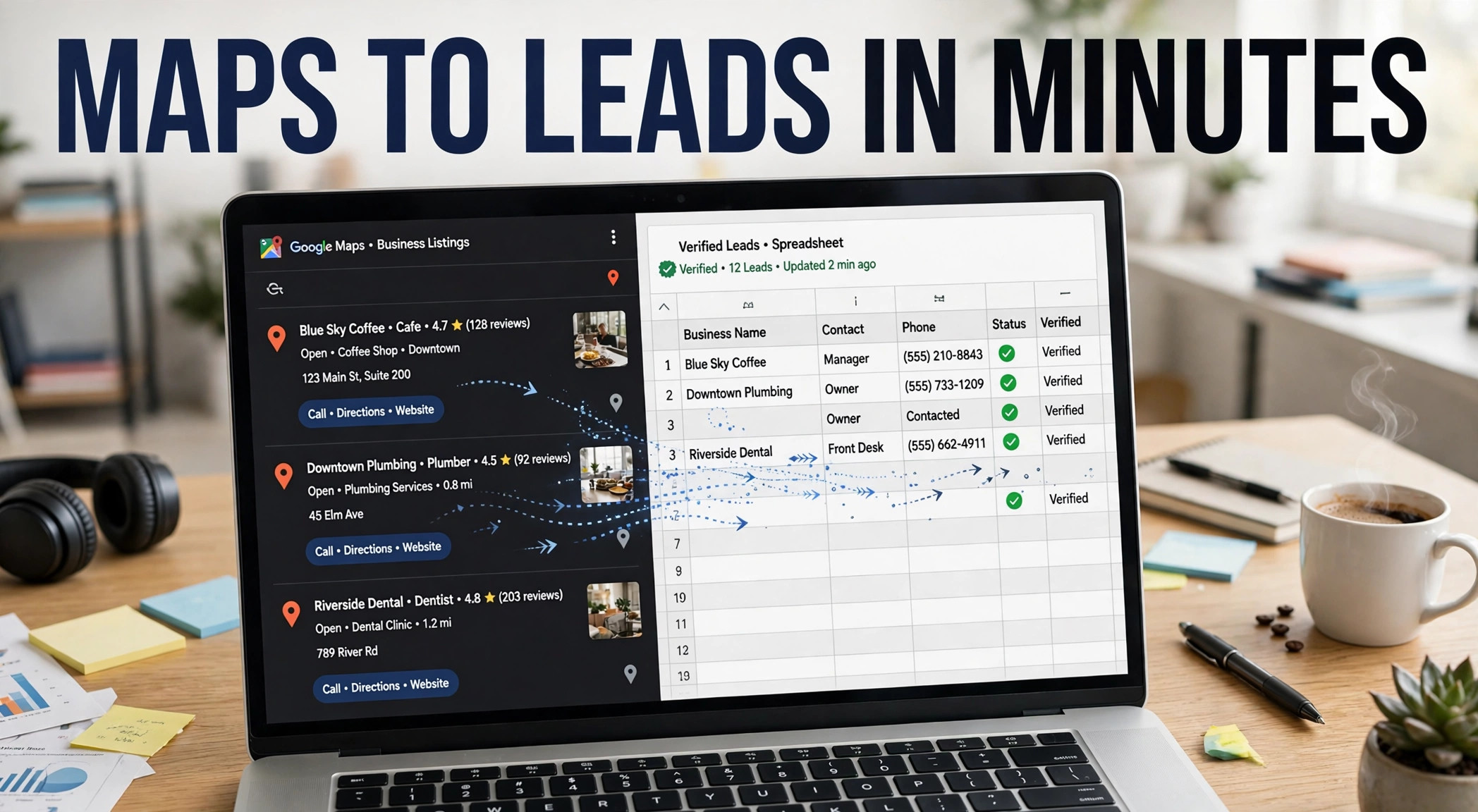
A Google Maps lead extractor reads the listings behind a Maps search and saves each one as a row of contact data: business name, phone, address, website, rating. The stronger tools add two more stages. They visit each business website to find published email addresses, then check every address before export.
What does a Google Maps lead extractor actually do?
A plain scraper copies what a listing already shows. You get the business name, street address, phone number, category, opening hours, star rating, and review count. That raw pull saves hours of manual copying, and for some jobs it is enough.
A lead extractor built for outbound work adds two jobs on top of the pull. It crawls the website on each listing and collects the contact details the business publishes there. Then it checks the data it found. GoLeads Pro runs an MX check on every email address, a method the company describes on its homepage, and it checks phone numbers for active status before export.
The split matters once a list reaches a sending tool. Addresses that bounce hurt the domain that sent them. GoLeads Pro reports campaign bounce rates under 3% on its verified exports, against a 12 to 15% average the company cites for purchased lists. A raw scrape carries no such check, so the cleaning work lands on your team instead.
Searchers use a few names for the same job: leads extractor for Google Maps, Google Maps scraper, GMB scraper. The names blur together, and the output decides which label fits. The companion guide on the Google My Business scraper covers the listing side of the work in more depth.
From search box to spreadsheet: the four stages
Every extraction run moves through the same four stages, whether you watch it happen in the browser or let a dashboard handle it.
- Run a Maps search with a category and a place, such as "roofing contractors in Manchester."
- Capture every listing the search returns.
- Crawl each business website for emails and social profiles.
- Check the data, then export the file.
Capturing the listings
You type a category and a location into Google Maps, scroll the results panel so the full list loads, and start the run. The Chrome extension reads the listings in your browser and sends them to the dashboard as they arrive. GoLeads Pro says its users have scraped more than 10 million leads on the platform to date, a figure the company publishes on its homepage.
Crawling each website for emails and social profiles
Google Maps listings do not display email addresses. Read that again if a tool promises emails straight from a listing, because the addresses live somewhere else: on the business's own site. The crawl visits the site pulled from the listing and scans the pages where owners publish contact details, usually the contact page, the footer, and the about page. The same pass picks up linked social profiles. GoLeads Pro collects LinkedIn company pages, Facebook pages, Instagram handles, X accounts, and YouTube channels where the business links them.
Checking the data before it ships
Verification runs two checks. The MX check asks the mail server whether an address can receive mail at all. The phone check flags numbers that no longer connect. GoLeads Pro reports that 98% of the phone numbers in its exports pass that check. Rows that fail either check get marked, so your team can drop them before a campaign starts instead of learning about them from a bounce report.
Exporting the file
The finished list leaves as a CSV, an XLSX for Excel, or a JSON file for developers. Columns arrive labeled and mapped for HubSpot, Salesforce, and Apollo, so the import step takes minutes rather than an afternoon of column surgery. Dedupe runs across the whole scan, which matters when one business shows up in three nearby town searches.
Which filters turn raw listings into a target list?
A city search can return thousands of listings, and most of them sit outside your market. Filters cut the pile down before you spend credits or calling time on it.
- Rating sets the quality bar. A floor of 4.0 stars suits offers aimed at businesses that guard their reputation. Drop the floor when you pitch reputation repair, since a 3.2-star owner feels that problem daily.
- Review count signals staying power. Hundreds of reviews point to an established business with steady foot traffic. A count under ten often means a new listing or a part-time operation.
- Website presence splits the list two useful ways. Rows with a site give you something to audit. Rows without one hand web designers their opening line.
- Category needs a spot check. Maps labels run broader than trade labels, so read twenty results by hand before you trust a category pull at scale.
- A location radius keeps territories tight. Search around a postcode or a neighborhood instead of a whole metro area, and one rep stops calling into another rep's patch.
Filters also protect your credits. A tighter pull costs less and reads better in a CRM than a bulk dump that someone has to clean on a Friday afternoon.
What should a finished lead file contain?
Judge any google map lead extractor by the file it hands you at the end. Run down this checklist before you pay for a plan or import a list into your CRM.
- Business name, spelled the way the listing shows it
- Category, plus the subcategory where Maps provides one
- Full street address with city and postcode
- Phone number, checked for active status
- Website URL
- One email address at minimum, MX-checked, for businesses that publish one
- Star rating and total review count
- Opening hours
- Social profile links the business publishes, across LinkedIn, Facebook, Instagram, X, and YouTube
- The source listing URL, so any row can be traced back
- Duplicates removed where one business appeared in several searches
- An export date, so the team knows how fresh the file is
A file that misses the email and verification rows can still work for direct mail or walk-in outreach. For cold email, send only from a file that clears every row on the list.
Free tier or paid tier: where is the line?
The line sits at volume and at the email crawl. GoLeads Pro gives new accounts free credits with no credit card: 50 leads a day, 300 in total. That covers a first test in one trade and one town. The paid plans raise the ceiling to 50,000 leads a month, with a higher tier at 100,000, and they add the website crawl that finds emails and social profiles.
| What you get | Free tier | Paid plans |
|---|---|---|
| Lead volume | 50 leads a day, 300 total | 50,000 or 100,000 leads a month |
| Listing data: name, phone, address, rating | Included | Included |
| Website crawl for emails and social profiles | Not included | Included |
| MX email verification | Not included | Included |
| Export formats | CSV and XLSX | CSV, XLSX, and JSON |
| Zapier and Make connections | Not included | Included on paid plans |
| Support | Standard email support | Priority support queue |
Stay on the free tier while you test one market. Move up when the crawl and the volume start paying for themselves in booked calls. And skip this tool category entirely if you sell to large companies and need named contacts by job title: Maps lists businesses, not org charts, and a contact database fits that job. The free vs paid breakdown and the free GMB lead extractor guide walk through the plan limits in full.
Common questions about Google Maps lead extractors
What is a Google Maps lead extractor?
A Google Maps lead extractor is software that reads the business listings behind a Maps search and saves each one as a row of contact data: name, category, address, phone, website, rating, and review count. Tools built for sales teams add a website crawl that finds published emails, then a check that confirms each address can receive mail before the list ships.
How do I extract leads from Google Maps?
Open Google Maps and search a category plus a location, such as dentists in Miami. Scroll the results panel to the end so the full list loads. Start the extractor from your browser, apply filters for rating, review count, or website presence, and let the crawl and checks run. Export the finished list as a CSV or Excel file and import it into your CRM.
Which lead extractor finds verified emails?
Plain scrapers cannot find emails at all, since Google Maps listings do not display addresses. GoLeads Pro closes that gap by crawling each business website for published addresses and running an MX check on every one. The company reports bounce rates under 3% on verified exports, against a 12 to 15% average for purchased lists, so ask any vendor how it checks addresses before you buy.
How much does a Google Maps lead extractor cost?
GoLeads Pro starts free. New accounts get credits for 50 leads a day, 300 in total, with no credit card on file. Paid plans raise the limit to 50,000 leads a month, and a higher tier reaches 100,000, adding the email crawl, social profiles, and JSON export. Price your choice against list size: a one-town test costs nothing, while territory-wide pulls belong on a paid plan.
Can I export Google Maps leads to Excel?
Yes. GoLeads Pro exports the finished list as an XLSX file that opens in Excel, plus CSV for any spreadsheet or CRM and JSON for developers. Columns arrive labeled and mapped for HubSpot, Salesforce, and Apollo, so the import step needs no manual cleanup. The free tier covers CSV and Excel downloads, which is enough for a first campaign file.
Your first list sits one Maps search away. Open a free account on the pricing page, run one trade in one town, and read the file that comes back. If the rows clear the checklist above, you have a repeatable way to fill a pipeline without buying a single list.